Numberblocks Generator
A downloadable game for Windows and Android
Info
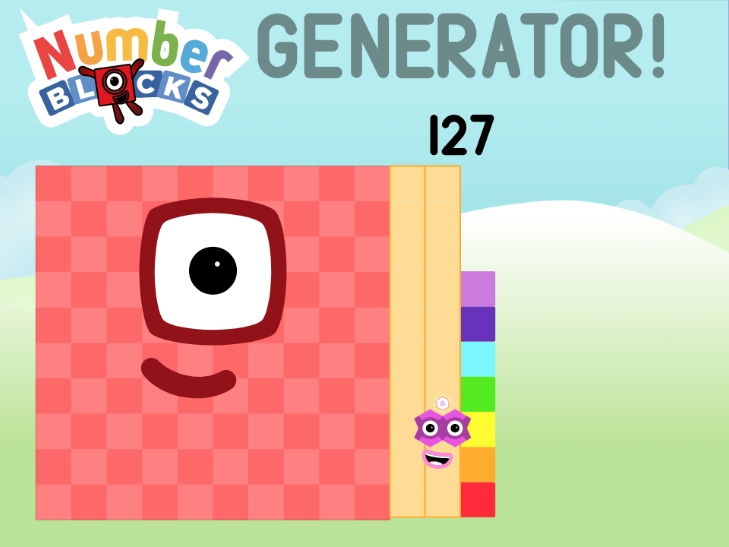
Numberblocks Generator is a game where you can see any Numberblock you want, along with which clubs they are in!
Instructions
To edit or see information about the numberblock, the menu is there to help! Just press that button with the three green bars to get there! You will see buttons relating to addition, such as "+1" and "+30". Press the "<" and ">" to switch through pages! There are a few buttons, here are what they do:
- The slider - Changes the value when slid.
- "+1", "+2", etc. - Increase the number by the shown value.
- "-1", "-2", etc. - Decrease the number by the shown value.
- "SET" - When pressed, an ask prompt will be shown. Whatever number you enter is what it will show.
- "CLUBS" - Will toggle a menu of what clubs the NB is in.
Credits
Credit to https://scratch.mit.edu/projects/1044703855/ for the NBs. Numberblocks is NOT MINE. It is Blocks Universe's.
Download
Install instructions
THE SUPER SECRET STEP SQUAD IS HERE
For Windows:
- Download the file using the buttons above.
- Right-click the file and press the "Extract All" button.
- Go into the new folder.
- Find the "numberblock-generator.exe" file.
- Run the file.
For Android:
- Download the file using the buttons above.
- Go into "My Files" and find the .apk file you downloaded.
- Tap on the file and install it.
- Once installed, open the app.
- Close all unnecessary popups. These will only appear once.
Hush hush...